Sharkship API & Integration Guide
Sharkship offers a feature-rich and scalable API, allowing businesses to integrate seamless shipping and logistics functionalities effortlessly. Our API empowers developers with automation, order tracking, rate calculation, and multi-courier management for an optimized shipping experience. With detailed documentation and easy deployment, businesses can streamline their logistics operations efficiently. Start integrating today and enhance your shipping workflow.
SHARKSHIP API DOCUMENTATION
Seamlessly Automate, Track And Optimize Your Shipping Operations
Sharkship API empowers businesses and developers by providing a robust, well-structured, and easy-to-integrate solution for managing shipping and logistics. Our comprehensive API documentation offers a step-by-step guide to integrating Sharkship’s powerful features into your existing systems, allowing for smooth automation and enhanced efficiency.
With scalable features and detailed documentation, it reduces manual effort, minimizes errors, and enhances efficiency for businesses of all sizes.
GUIDE TO INTEGRATE SHARKSHIP API
A Simplified Process For Seamless Integration
Create An API User
To get started, you must first set up an API user within the Sharkship panel. Follow these steps:
Log in to the Sharkship Panel: Access your dashboard.
Navigate to Settings: Locate and select the “Settings” option.
Go to the API Section: Click on the 'API' tab under settings.
Configure API Settings: Open the configuration section to customize API preferences.
Create an API User: Click “Create an API User,” enter the necessary details, and save your changes.

Generate API Credentials
Secure your API integration by generating unique credentials.
Authenticate Your Identity: Provide a valid email ID and password.
Generate an API Key: The system automatically assigns a unique API key.Ensure Secure Access: Use the generated API key to authenticate API requests.
Maintain Confidentiality: Keep your credentials private to prevent unauthorized access.
Manage Credentials Efficiently: Regenerate and update credentials as needed for better security.

Generate Your Token
Each API request requires a secure authentication token for enhanced security.
Unique Token Per Request: A new token is generated for every request to ensure security.
Enhanced Security Measures: Validates requests to prevent unauthorized access.
Short-Lived Tokens: Tokens expire after a predefined duration to minimize security risks.
Secure Encryption: Tokens are generated through robust encryption methods via API or server.
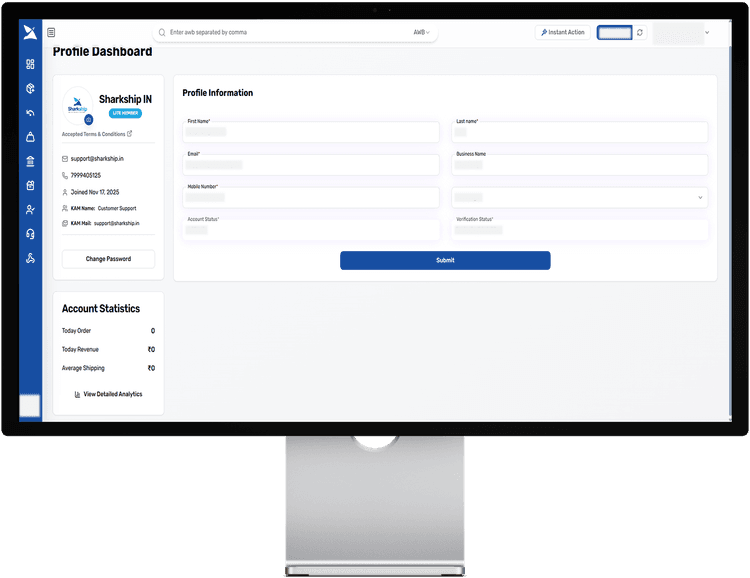

Problem Solving
DEVELOPER COMMUNITY
Debugging: The Art of Detecting Your Own Errors
The Sharkship developer community is a vibrant hub where innovators connect, collaborate, and exchange knowledge to create cutting-edge logistics solutions. Bringing together passionate individuals, this platform supports developers in integrating the Sharkship API with PHP or Laravel, experimenting in a Sandbox environment, and configuring essential APIs. With a strong emphasis on hands-on experience, it aims to build a thriving network and a dedicated learning space for tech enthusiasts. By leveraging advanced APIs, developers can optimize shipping workflows, improve efficiency, and seamlessly integrate Sharkship into their platforms, ensuring a smooth and powerful logistics experience.